
Glass Termite and Pest
Make a Payment
Log Into your Payment Portal:
First time using the Payment Portal? View instructions below:
Setting up Your Payment Portal:
Glass Termite & Pest Payment Portal is easy, convenient, and provides access to your Account Balance, Billing History, Service History and ability to set-up Auto-Pay with a credit card.
The below instructions are how to access the Payment Portal from our website for the first time.
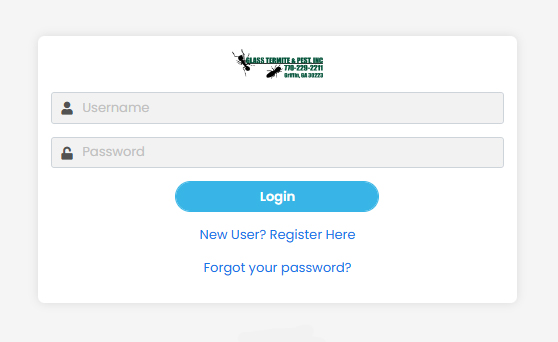
Select on “Make a Payment” from the Glass Termite & Pest homepage.
At the portal login page click on “New User? Register Here”
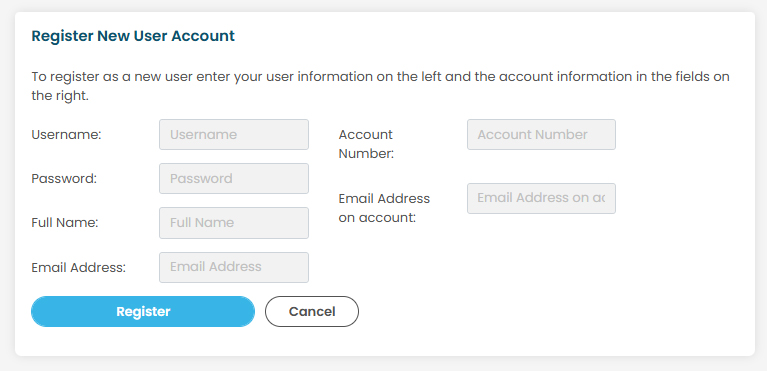
Register New User Account Page
From here you will need to create a USERNAME and PASSWORD for your account.
Enter your Full Name, E-mail address, 10 digit Account Number (106-XXXXXXX) and E-mail Address on your account. Next click on the Register button to create your new account.
If you do not know your 10 digit account number, please call our office at 770-229-2211.
Return back to the Glass Termite & Pest webpage or directly to the Payment Portal to log-in to your account.
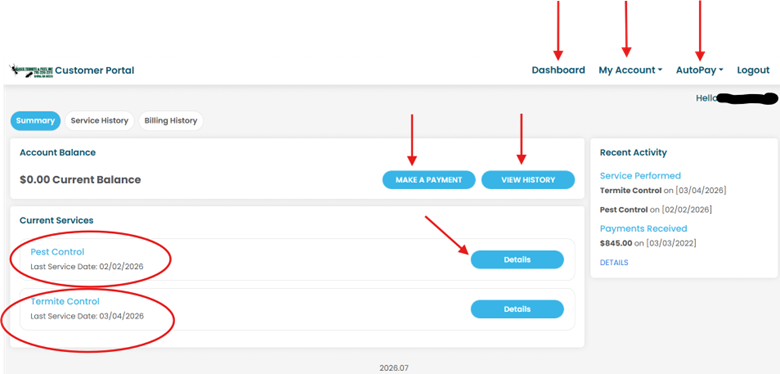
Your Customer Portal Account page is easy to navigate through the following selections.
Dashboard – Displays your account information.
My Account – Edit Profile, Accounts, Change Password and Contact Preferences
AutoPay – Allows customer to set-up automatic charge(s) to a credit card. Your credit card will be automatically billed 24-48 hours (depending on bank) after services have been performed.
Make a Payment – Allows customer to make a one-time payment towards an invoice(s).
View History – Allows customer to view Billing History of account.
Details – Allows customer to view details on specific service (Termite or Pest Control) selected.
If you encounter a problem or have questions, please contact out office (M-F / 7:45am-5:15pm) at 770-229-2211.
Ready to get started?
Get in touch with us today to schedule your pest control, termite, bed bug, or rodent control services and experience the Glass Termite & Pest difference.